Rental Property Spreadsheet vs Property Tracker: Which Is Better?
Your rental property spreadsheet was perfect for one property. Here's why it starts to break down as your portfolio grows — and what a landlord tracker does differently.
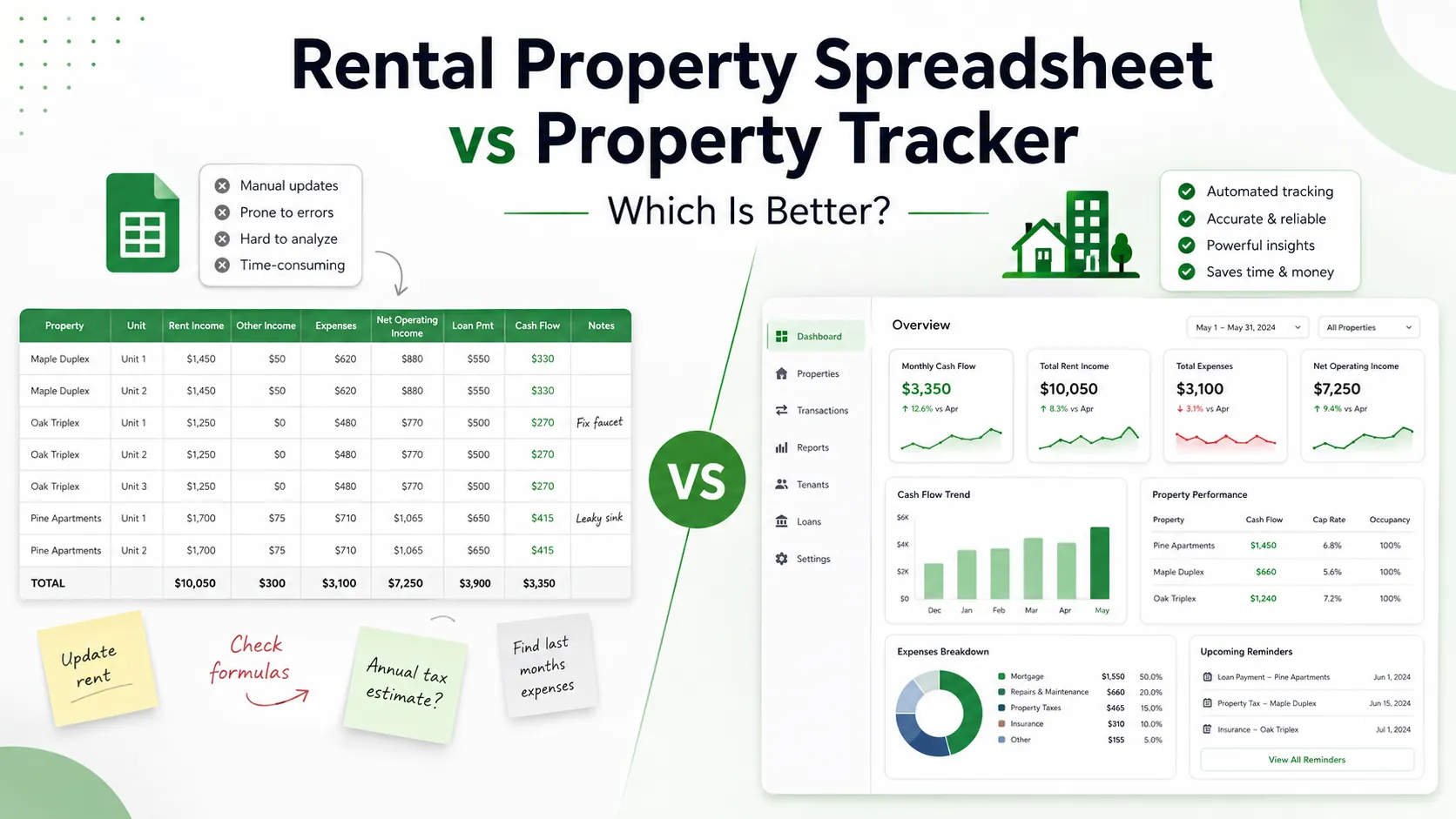
Almost every landlord starts the same way: a blank Google Sheet, a column for rent, a column for expenses, and a running total at the bottom. It's free, it's flexible, and for one or two properties, a rental property spreadsheet genuinely does the job well.
The problem isn't that spreadsheets are bad. It's that the things which make them great when you start — total flexibility, no setup, complete control — are the exact things that make them harder to rely on once your portfolio grows. This article walks through where that shift happens, what it actually costs you in time and accuracy, and what to look for in a rental property tracker if you decide a spreadsheet has taken you as far as it can.
Why a landlord spreadsheet works so well at the start
When you own one property, a spreadsheet has real advantages over any piece of software:
- Zero cost and zero setup. You already have Google Sheets or Excel open.
- Total flexibility. You can add a column for anything — a weird one-off repair, a security deposit, a note to yourself.
- You understand every formula. Because you built it, you know exactly what each number means and where it comes from.
For a single rental, or even two, a simple rental income and expense spreadsheet is often the right tool. There's no need to pay for or learn dedicated software when a few rows of rent, mortgage, and running costs tell you everything you need to know.
Where spreadsheets start to break down
The cracks tend to show up gradually, not all at once. A few common tipping points:
1. You add a second, third, or fourth property
One tab per property seems tidy at first. Then you want to compare them — which one is actually your best performer this year? — and you're stuck either building a summary tab that pulls from four other tabs, or manually adding numbers up yourself every month.
2. You want monthly history, not just a current snapshot
A lot of landlord spreadsheets are built to answer "what's my situation right now," not "how has this property performed over the last 18 months." Adding proper month-by-month history means duplicating rows, renaming tabs, or building a second sheet just to track trends — and it's easy for that structure to quietly break the first time you're in a rush.
3. Expenses stop being simple
Early on, "expenses" might just mean one number a month. Over time it splits into repairs, management fees, insurance, service charges, void periods, mortgage interest versus capital — and each of those wants its own formula, its own category, and its own place in the sheet without breaking the totals above it.
4. You're managing properties in more than one currency
If you own property in different countries, or your mortgage is in a different currency than your rent, a spreadsheet needs manual conversion logic that has to be updated by hand — and that's an easy place for small errors to creep in unnoticed.
5. One formula error throws everything off
This is the quiet risk with any landlord spreadsheet: a dragged formula that didn't update, a manually typed number instead of a linked cell, a tab that got copied instead of referenced. The sheet still looks fine. It just isn't telling you the truth anymore, and you often don't find out until months later.
None of this means you did anything wrong. It means the spreadsheet was built for a portfolio of one or two, and your portfolio moved past that.
Rental property spreadsheet vs rental property tracker: the actual difference
A rental property tracker isn't a fundamentally different idea from a spreadsheet — it's still rent in, costs out, profit left over. The difference is in what it handles for you automatically:
| Spreadsheet | Property Tracker | |
|---|---|---|
| Setup | Manual, from scratch | Ready-made structure |
| Multiple properties | Separate tabs, manual totals | Automatic per-property and portfolio view |
| Monthly history | Manually maintained | Built in automatically |
| Formula errors | A real, ongoing risk | Not possible — no formulas to break |
| Currency per property | Manual conversion | Handled per property |
| Comparing properties | Build it yourself | One view, always current |
The trade-off is real, too: a spreadsheet gives you unlimited flexibility to track anything you can think of, while a tracker gives you a fixed but reliable structure. For a lot of landlords, once they own more than a couple of properties, reliability starts to matter more than flexibility.
Signs it might be time to upgrade
You don't need to abandon your rental income and expense spreadsheet the moment it gets slightly annoying. But it's worth reconsidering when:
- You own three or more properties and keep a separate tab for each
- You've caught a formula error that quietly threw off a total
- You want to compare performance across properties and it currently takes real effort
- You're tracking rent or costs in more than one currency
- You spend more time maintaining the sheet than looking at what it tells you
- You'd genuinely rather see one clear number for each property than rebuild a summary every month
If two or more of these sound familiar, the spreadsheet is probably costing you more time than it's saving.
Where Propertira fits in
Propertira was built specifically for the moment a landlord spreadsheet stops being enough. Instead of tabs, formulas, and manual totals, you get one clear number per property and across your whole portfolio: what your rentals actually put in your pocket each month, after running costs and mortgage.
There's no bank connection required and nothing to rebuild every time you add a property — you enter rent and expenses, and Propertira handles the monthly history, the per-property comparisons, and per-property currency automatically. It's designed for landlords with 1–20 properties who've outgrown a spreadsheet but don't want (or need) full property-management software built for agencies.
If you're still on a spreadsheet and it's working fine, there's no rush. But if you recognized more than one of the signs above, it's worth seeing what a dedicated rental property tracker looks like.
[Start tracking free →](https://propertira.com)
FAQ
Is a spreadsheet still good enough for one rental property? Usually, yes. For a single property, a simple rental property spreadsheet is often all you need. The case for switching gets stronger as you add properties, expense categories, or the need for monthly history.
What's the main risk of a rental income and expense spreadsheet? The biggest risk is silent formula errors — a cell that didn't update or a dragged formula that broke — which can throw off your numbers without any obvious warning sign.
Do I need to give a property tracker access to my bank account? Not necessarily. Propertira works without bank connections — you enter income and expenses directly, similar to how you would in a spreadsheet, but with the structure and calculations handled for you.
Can a property tracker handle properties in different currencies? Yes — Propertira supports per-property currency, so a landlord with properties in different countries doesn't need to manually convert figures to compare performance.
Work it out on your own numbers
Rental property profit calculator runs this maths for you - enter your rent and costs and see the result straight away. No sign-up needed.\n
- landlord spreadsheet
- property management for landlords
- rental income and expense tracking
- rental property spreadsheet
- rental property tracker
Related guides
- Best Free Tools for Landlords in 2026 (and Where They Fall Short)A fair roundup of the best free landlord tools in 2026 — rent collection, screening, and expense tracking — plus where "free" tends to run out as you scale.
- The Landlord's Guide to Tracking Multiple Rental PropertiesTracking multiple rental properties gets messy fast. Here's a practical structure for managing them properly — and how to spot the one quietly losing you money.
- Effective Gross Income (EGI) for Rental Property: How to Calculate ItEffective Gross Income (EGI) shows the true revenue your rental property generates after factoring in vacancy, lease concessions, and ancillary fees. Learn how to calculate it accurately.
Put this into practice
Use the free calculators with your own figures, or track every property in one place with Propertira.
Propertira provides estimates based on the information you enter. Results are for informational purposes only and are not financial, tax, legal or investment advice.